Building Games with AI: Gauntlet Loop Step-by-Step Tutorial
Learn how to build your game idea with AI using a gauntlet loop. This tutorial covers the full pipeline including setup, tools, prompting, iteration, and sharing.
A gauntlet loop is a method of AI prompting for building games, apps, and other projects where the work is done by two agents, a builder and a critic, iterating in a loop. See What is a Gauntlet Loop? for more information about the methodology. This tutorial will cover the full step-by-step process of building a game with a gauntlet loop, from setup to publishing.
1. Set up the tools
To run a gauntlet loop, you'll need a coding agent that can edit files on your computer and playtest the game by itself. Codex, Claude Code, Cursor, and Gemini CLI all work for this, among others.
A gauntlet loop can run in any game engine, such as Unity, Unreal Engine, Roblox Studio, or Three.js, with each having slightly different tool requirements for the agent to interact with the engine. If you're unsure whether you need to download or configure other tools for your agent to interact with the target game engine, create the empty project folder, tell the agent what engine you're planning to use for the game, and it can check whether the necessary tools are available.
Optional: Build World. Thrixel's Build World agent skill provides high-quality 3D asset generation with Thrixel and an enhanced game-building workflow written by real game developers. While using Thrixel is not required for running a gauntlet loop, the skill is specifically designed to produce higher-quality assets and better game design in gauntlet loops, and can be used for free.
2. Prompt your agent and provide references
When prompting your agent for the game, provide as much information as possible about the gameplay, art style, controls, UI, or anything else that belongs in your creative vision. It's okay if this prompt is long; having more context helps the agent build the game better.
For the gauntlet loop to be effective, the agent needs existing visual references to compare to. Attach a few screenshots or videos of existing games, and describe specifically why each one is relevant, e.g. “I like the lighting in this image and the camera angle in that one.” This is an essential part of the gauntlet loop workflow, as the critic agent will compare your game against these references during every round of iteration.
Your prompt should also provide instructions for the critic loop, as this is the core idea of the gauntlet loop. Instruct your agent to use a harsh critic subagent that repeatedly compares its work against the provided references, until your game meets the quality bar.
Build a third-person action-adventure game in Three.js, set in a ruined city floating above the clouds. The player explores connected districts, fights mechanical guardians, and restores ancient machines to open a route to the city’s central tower. Include melee combat, a dodge, enemies with different attack patterns, environmental puzzles, checkpoints, and a final boss. Give the city a strong sense of scale, with towering architecture, moving machinery, and paths that cross between different heights.

Use the attached images as references for the city’s architecture, lighting, and overall look. Have a separate critic agent inspect the running game and compare it with those references, checking both how it looks and how it plays. Ask it for specific problems and reasons, fix what it finds, then have it review the updated game again. Keep going until the critic is satisfied, without setting a fixed number of rounds or lowering the bar to match the current build.
3. Run the iteration loop
After sending the prompt, you can take your hands off for a while while the agents work. The builder and critic will work through several rounds of revision without needing any input from you, likely running for several hours. At each stage, the critic will compare the current version of the game against the prompt and references, sending specific problems back to the builder for improvement.
From critique to revision
During each round of iteration, the critic agent provides specific feedback for the builder to improve.
Foundation
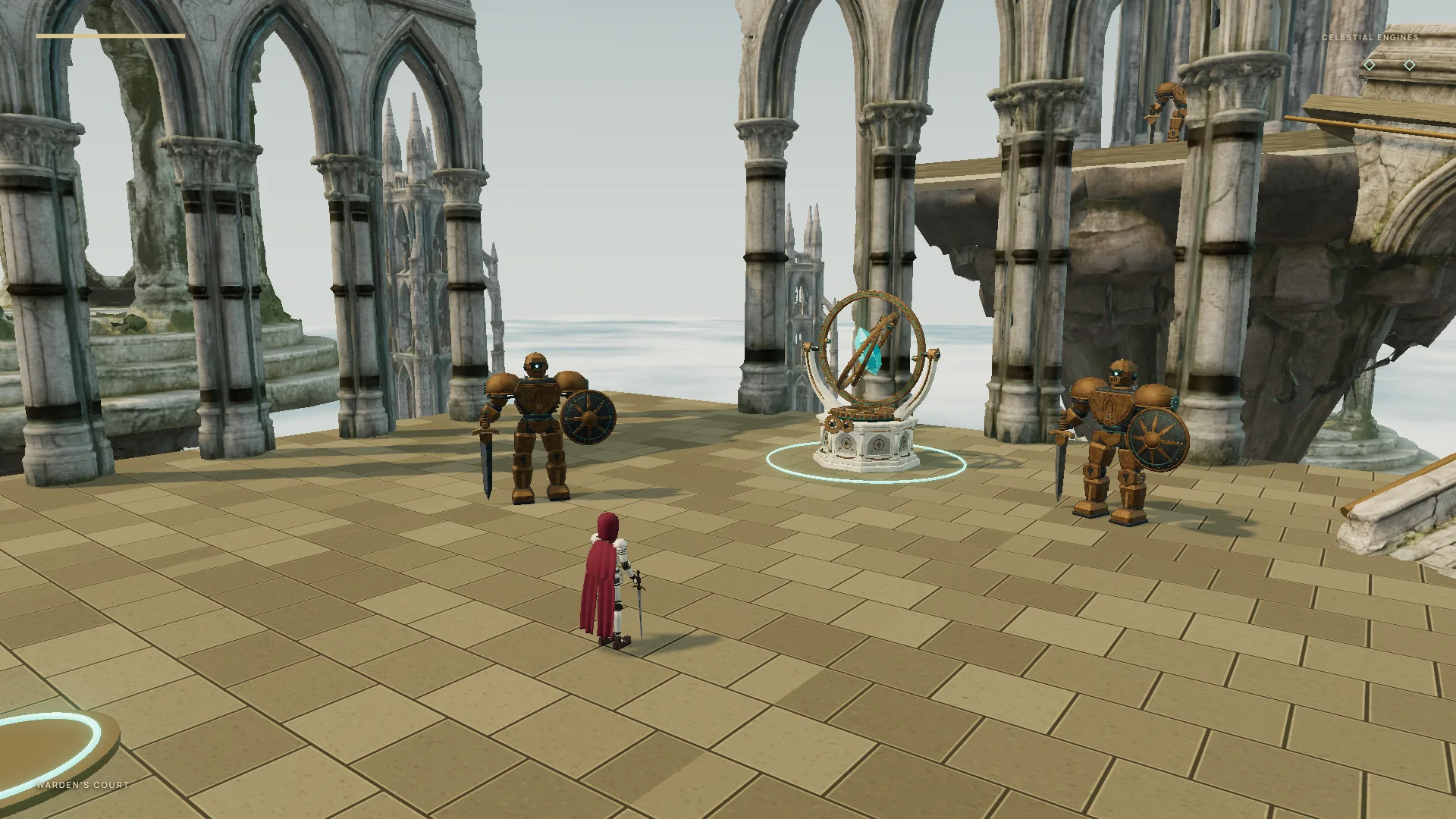
- Ambient light flattens the scene.
- Uniform paving makes the court feel assembled.
Light and depth
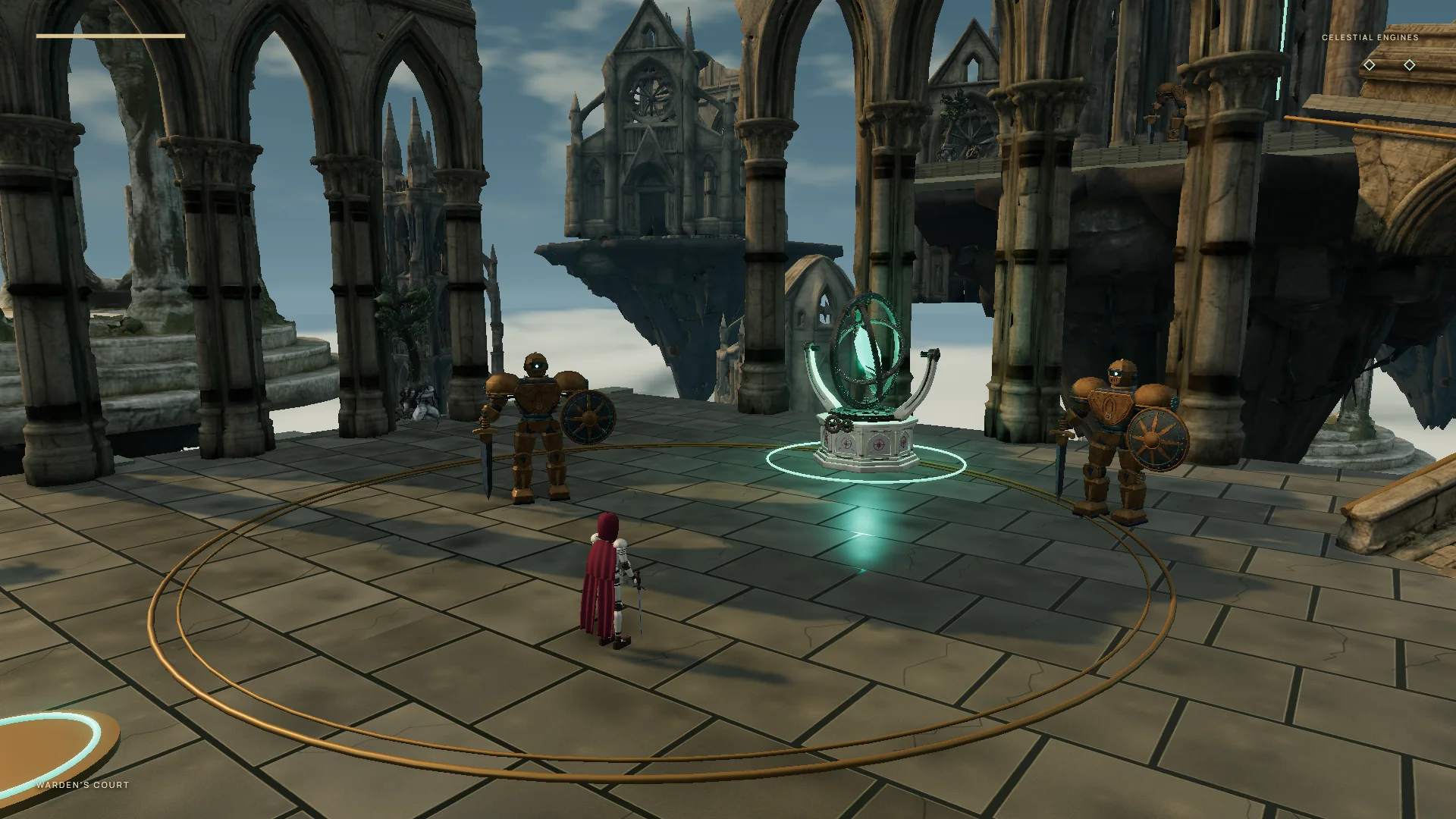
- Paving remains grid-perfect, with little physical relief.
Stone and atmosphere
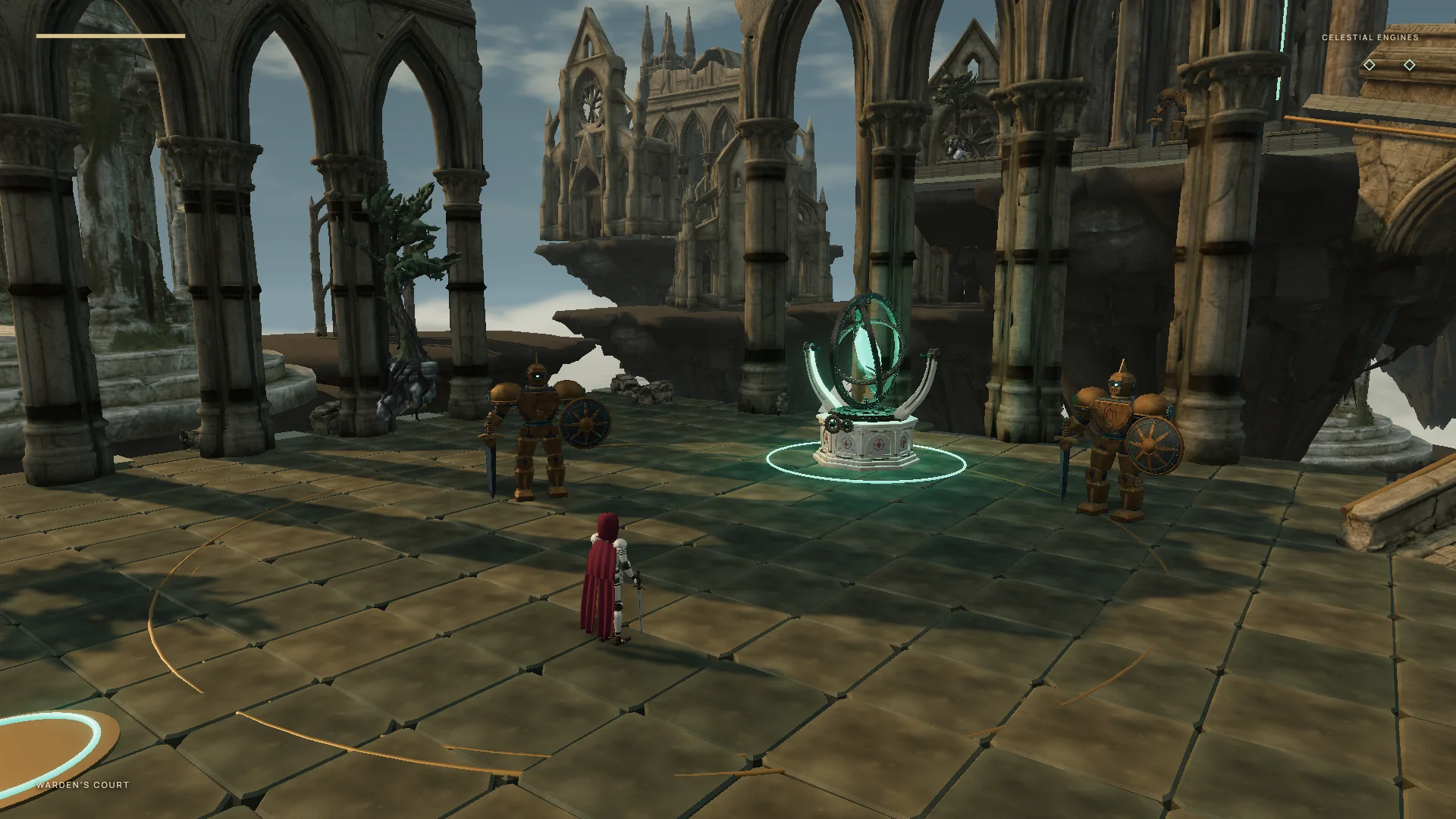
- Stone slabs look inflated.
- Courtyard rings disappear beneath the paving.
Clouds and materials
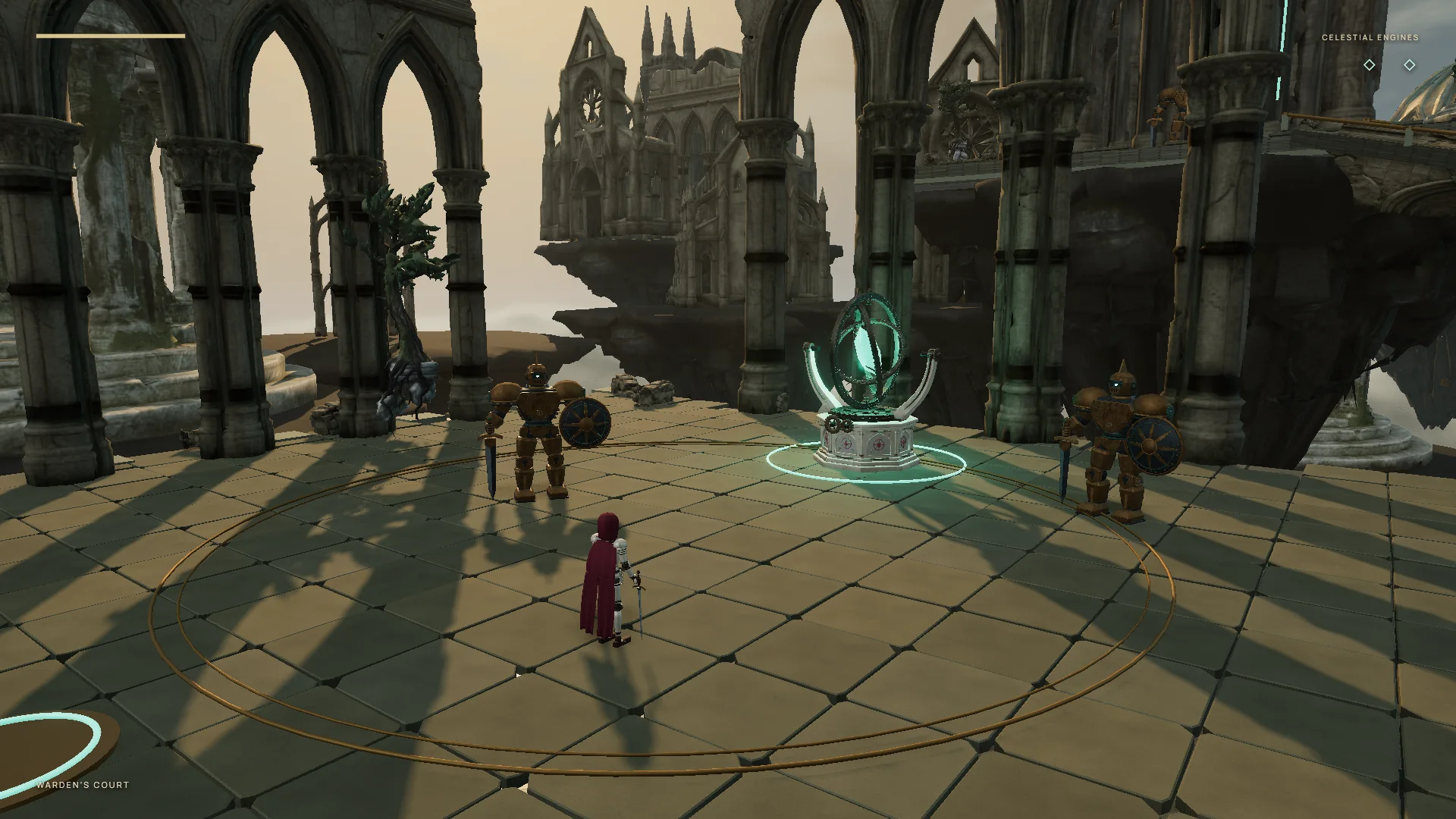
- Paving lacks grain and staining.
- Dark guardians need stronger contrast.
Surface and focus
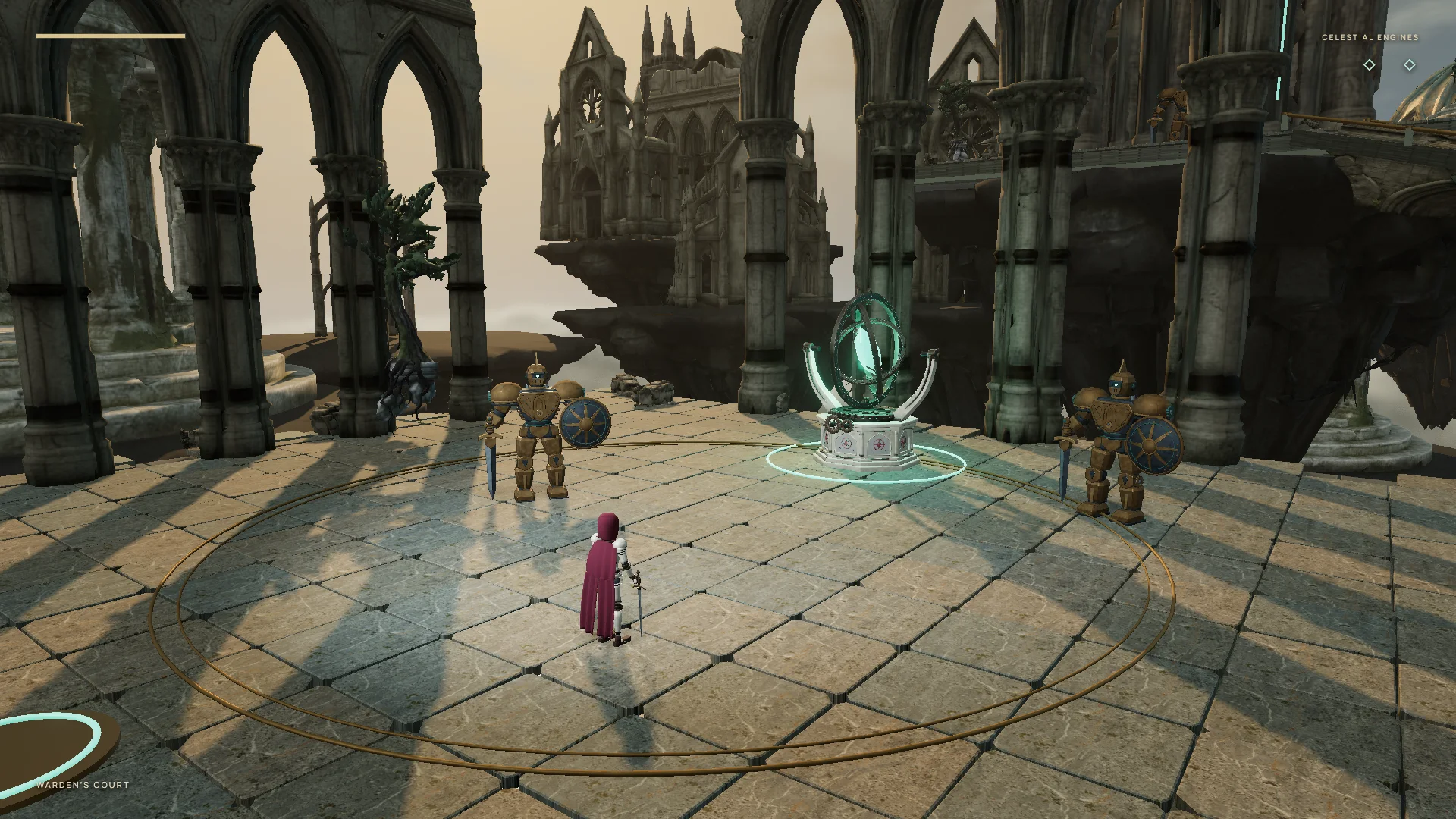
- Limestone texture and selective lighting resolve the remaining visual feedback.
Additional polish
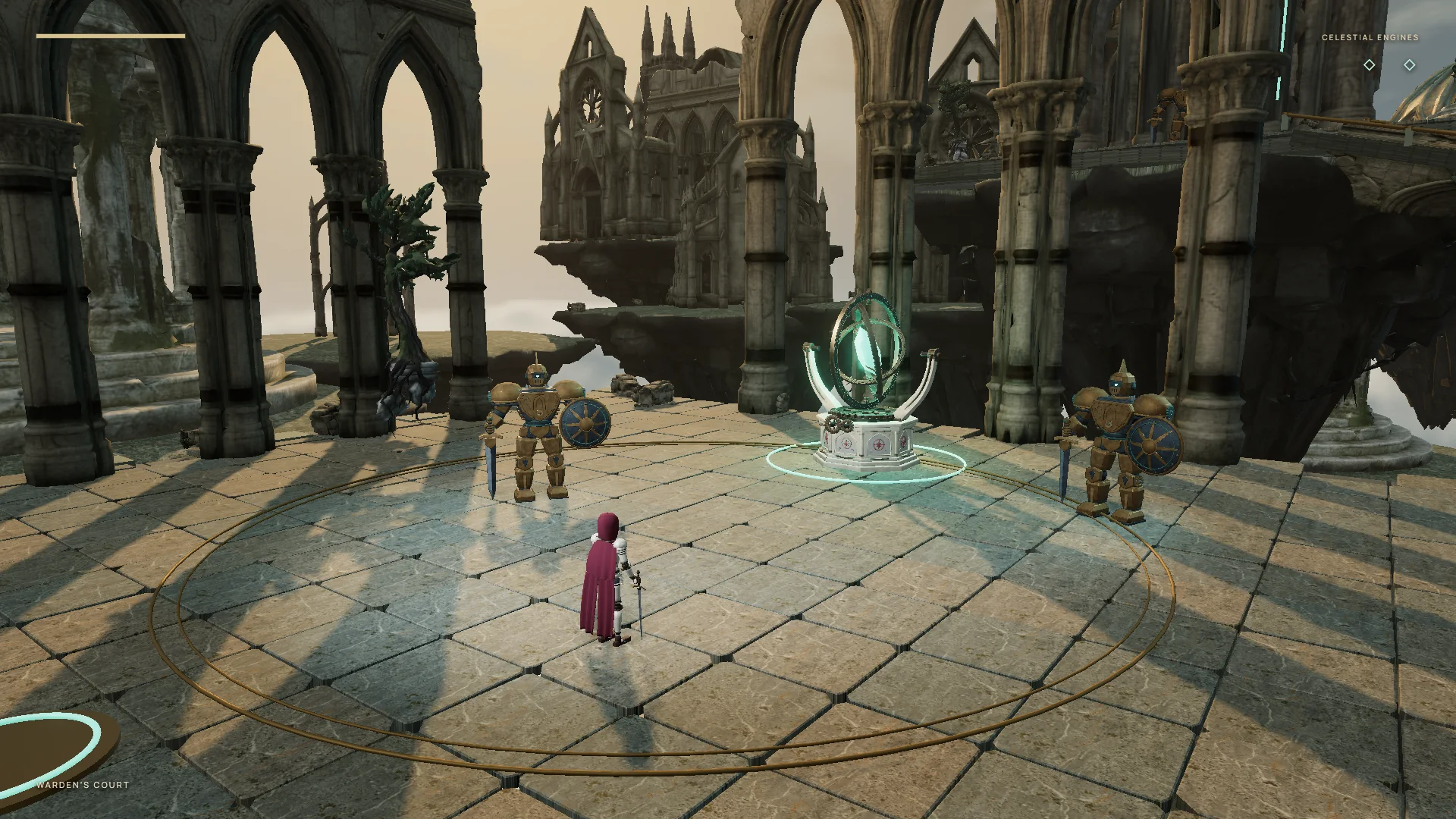
- Pass: clear focal points, textured stone, and balanced lighting give the courtyard a cohesive finish.
4. Give follow-up feedback
The agent will let you know when it's done working, at which point you can playtest the game yourself and offer manual feedback. Anything that didn't match your vision for the game, including bugs, are fine to report here, and you can provide as many rounds of follow-up changes as you want until the game is satisfactory. Providing additional screenshot references at this stage can help to nail down any details that the agent did not get right previously or the critic missed. You can also instruct the agent to expand the game or add more content in the same direction it's already been building.
Use the same conversation for larger design changes, too. Requests for a faster character, a different camera, or another area to explore can go through the same critic loop, with the original prompt and earlier feedback still available.
5. Play and share your game
Once you're satisfied with the preview, the gauntlet loop is now finished, and your game is ready to publish!
Every engine and destination has a different exporting and publishing flow, but your agent can walk you through the best one for your project. For web-based games built in Three.js or Unity, these can be hosted for free using tools like Netlify or Vercel, and Thrixel's Build World skill also supports free publishing and hosting at thrixel.com/world.